Why measuring your website matters
Short answer: to measure your website, set up Google Analytics 4 and Search Console, define your key conversions (leads, sales, calls), and track traffic sources, behaviour and conversion rate. Use Google Tag Manager to manage tags. You cannot grow what you do not measure.
Building a website is never enough on its own. Until it is properly tracked, growing it is guesswork. Yet many owners never install analytics or look at their numbers. Without measurement you cannot tell what is working, where visitors drop off, or which channels are worth more budget.
The good news: the tools are free and, once set up, they do most of the work for you. This guide covers how to measure and track your website with Google Analytics 4, the metrics that matter, why Analytics and Google Ads numbers differ, and how to report it all clearly.
Start with Google Analytics 4 (GA4)
Google Analytics is the most widely used website tracking tool, and GA4 is the current version. It replaced the older Universal Analytics, which Google has now retired. If you have not moved yet, set up GA4 now so you start building historical data.

GA4 is a real shift, not just a new look:
- Event-based data. Every interaction is an event rather than a session, which allows more granular, flexible tracking and reporting.
- Machine-learning insights. GA4 can predict things like churn probability and potential revenue from your data.
- Cross-platform tracking. One property gives a unified view of the customer journey across your website and apps.
- Simpler setup. A single property covers all your website data, which cuts down admin work.
- Cookieless, privacy-aware measurement. GA4 is built for evolving privacy rules, so your tracking stays compliant.
There is a learning curve, but the capabilities are worth it for any business that wants a real edge.
Set up GA4 the right way
The value comes from configuring GA4 around your goals, not just pasting the tag and forgetting it. In the GA4 Admin panel:
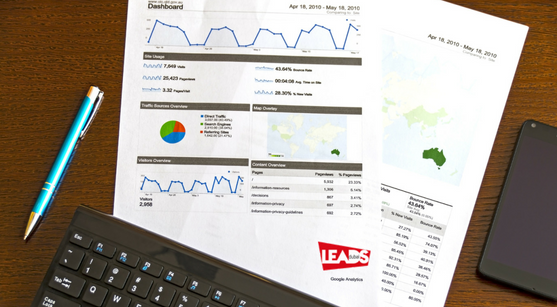
- Set data retention, user identification, and link GA4 to Google Ads so your campaign and analytics data work together.
- Create custom events and parameters for the actions that matter to you: lead form submissions, product views, article scroll depth, button clicks.
- Build audiences based on behaviour, demographics, or how people arrived, then use them for remarketing and lookalike campaigns.
- Turn on ecommerce tracking if you sell online, to measure transactions, revenue, and shopping behaviour and optimise your funnel.
- Monitor the key trends: traffic sources, landing page performance, and the multi-channel paths people take before they convert.
Tailoring the setup to your own customer journey is what turns raw data into decisions that improve ROI.
Why Google Analytics and Google Ads data differ
A common confusion: the click and conversion numbers in Google Ads rarely match the sessions and conversions in Analytics. That is normal, because the two measure different things.
- Clicks vs sessions. Google Ads counts ad clicks. Analytics counts sessions. One click is not always one session, a visitor might click but leave before GA loads, or click once and return later in several sessions.
- Attribution. The two can use different attribution models and conversion windows, so credit for a sale lands differently.
- Time zones. If the Ads and Analytics accounts use different time zones, daily totals will not line up.
- Bot and spam filtering. Analytics filters some invalid traffic that Ads may count differently.
Linking your Google Ads and GA4 accounts narrows the gap and lets you see how ad spend actually affects on-site behaviour and revenue.
Report it all with Looker Studio (formerly Google Data Studio)
Looker Studio, which used to be called Google Data Studio, turns your data into interactive dashboards by pulling from GA4, Google Ads, Search Console and more. It is free, and it saves hours of manual reporting. The benefits:
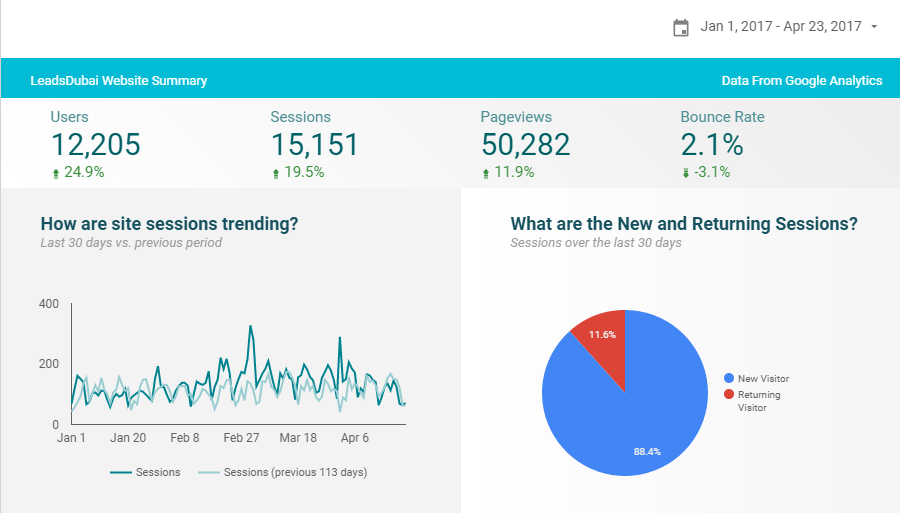
- Automated, real-time reporting from all your connected sources.
- Customisable templates you can adapt for different stakeholders.
- Clear data storytelling that makes results easy to act on.
- Easy sharing with clients and teams via links with adjustable access.
Get the most from it by focusing each dashboard on the KPIs tied to business goals. Use scorecards and simple charts for the top-line story, with detailed breakdowns underneath. Blending sources, for example Google Ads and GA4 together, uncovers richer insight into how spend drives behaviour and revenue.
The website metrics that actually matter
You do not need to track everything. Focus on the metrics that connect to your goals:
- Traffic sources: where visitors come from (organic, paid, social, direct, referral), so you know which channels earn their keep.
- Engaged sessions and engagement rate: GA4’s measure of whether people actually interacted, far more useful than raw bounce rate.
- Conversions and conversion rate: the leads, sales, or sign-ups you defined as events.
- Landing page performance: which pages bring people in and which convert.
- Conversion paths: the multi-step journeys people take before they buy, so you value every channel fairly.
Vanity metrics like raw pageviews look nice but rarely guide a decision. Tie what you track to what you want visitors to do.
Stay current with Google’s analytics updates
The ecosystem keeps moving, and staying current keeps your measurement accurate:
- Consent Mode adjusts your tags based on each user’s consent choices, balancing privacy with performance.
- GA4 integrations with Search Ads 360 and Display & Video 360 give a unified view of campaigns and audiences.
- AI-powered optimisations in Google Ads and new reporting features in Looker Studio keep improving what you can see and act on.
Get help setting it up
The terms traffic, measurement, and tracking sound technical, but the concepts are not hard once they are in place. If you want it done right, Leads Dubai can set up your analytics and measure your website traffic for you. We use the same tracking across our SEO services and Facebook ads pixels. Start measuring today, call +971 50 304 7470.