Google My Business is now Google Business Profile
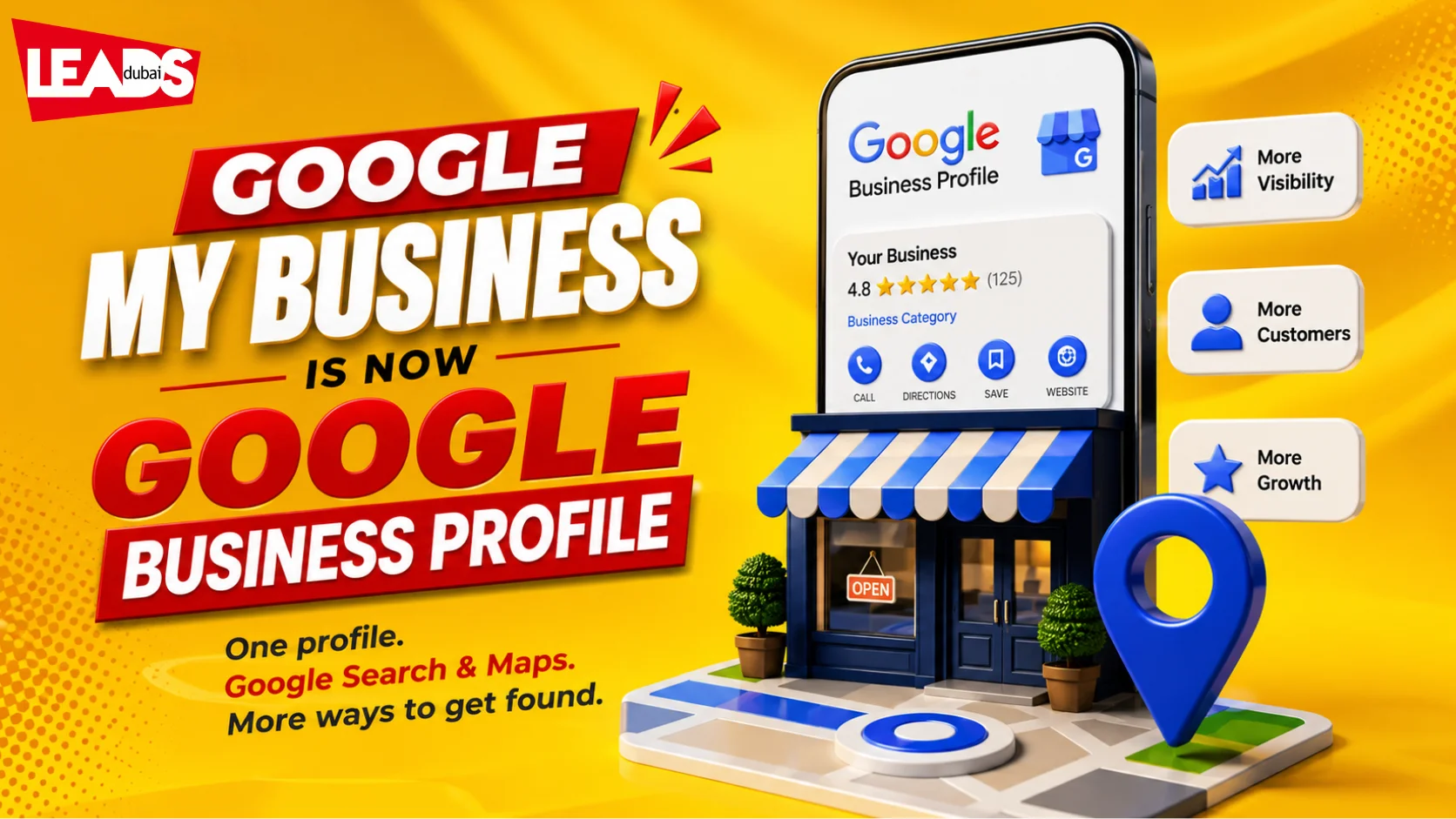
Short answer: Google My Business was renamed Google Business Profile in 2021, and the standalone app was retired in 2022. You now manage the listing directly in Google Search and Google Maps. The listing itself does the same job: it is what puts a Dubai business in the map results and gives people a way to call, get directions or read reviews without visiting your site.
Most people still search for the old name, so the two terms are used interchangeably below. If you set up a listing before 2021 you already have a Business Profile. Nothing was lost in the rename, only the place you edit it from. For a business with a physical address or a service area in the UAE, this is usually the highest-return item on an online presence checklist, because it can win a map placement before your website ranks for anything at all.
Claim your Business Profile directly on Search and MapsIt is now easier to complete verification or resolve other issues with your Business Profile. Just search for the name of your business on Google or go to your profile directly in the Google Maps app and you’ll see an option to verify the profile or resolve other issues, like profile suspension. You can also search for ‘my business’ on Google Search to get to your Business Profile.
Manage GMB profile directly on Google
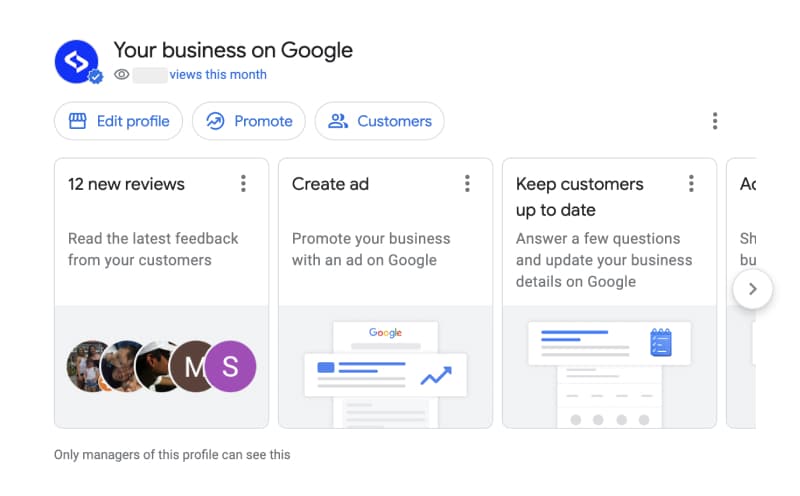
If you log in with your Google account that manages your Google my business profile, you can access the Google My Business account by typing your business name in the Google search results.
You will see this new panel:
It is a summary of all the features that you can interact with regularly right in the local search results. Now it is easier to have these options right at your fingertips.
Here is what you can do actually:
- View the latest reviews and star ratings
- Respond quickly to your Google reviews
- Create Google Ads - faster and much easier
- Create a Google post in a quick popup and promote your special offers
- View Google analytics and insights
- Update your GMB listing, such as business information, phone number, business description, business category, etc.
Google My Business (GMB) has rolled out several new features that can help businesses improve their online presence and connect with customers.
1. Video Posts One of the most exciting new features of GMB is the ability to create video posts. Video is a highly engaging format that can help businesses showcase their products and services in a more dynamic way. With this new feature, businesses can now create short videos and add them to their GMB listing, helping them stand out from the competition and capture the attention of potential customers. 2. Product Catalog GMB has also introduced a new product catalog feature, allowing businesses to showcase their products in a more organized and visually appealing way. With this new feature, businesses can add product descriptions, prices, and images, making it easier for customers to browse and purchase products directly from the GMB listing. 3. Calls and enquiries Google has retired the in-profile chat and call-history features, so the best way to capture enquiries now is a clear phone number on your profile plus a click-to-WhatsApp link on your website and posts. Make it effortless for a customer to call or message you the moment they find you. 4. Service Areas For businesses that provide services at their customer’s location, GMB has introduced a new service area feature. This allows businesses to specify the areas they serve, making it easier for potential customers to find and connect with the business. This feature is particularly useful for businesses such as home services, where location is a critical factor for customers.
How to rank your Google Business Profile in Dubai
Getting on the Google Maps local pack comes down to a few things done consistently:
- Complete the profile. Accurate, consistent name, address, phone and website (NAP), the right primary category, a keyword-rich description, and plenty of real photos.
- Earn and answer reviews. Ask happy customers for a review, and reply to every one. Reviews are one of the strongest local ranking signals.
- Post regularly. Use Google Posts for offers, events and updates to show the profile is active.
- Build local citations and links. Consistent listings on UAE directories and links from local sites reinforce your relevance and authority.
- Answer Q&A. Monitor the questions section and reply with clear, helpful answers.
- Track insights. Use the performance data to see how people find and act on your profile, then adjust.
Google ranks local results on proximity, relevance and prominence, so the more complete, active and well-reviewed your profile, the better it performs.
Three things that actually move a Dubai listing
Most Google Business Profile advice stops at “fill in your details”. These three are what separate a listing that ranks from one that sits there.
- Reviews, asked for properly. Volume, recency and your replies all count. Ask every satisfied customer at the moment they are happiest, not weeks later by email, and reply to every review including the poor ones. A profile with steady recent reviews beats one with more reviews that stopped two years ago.
- Post consistently. Offers, updates and photos keep the profile active, and an active profile is favoured over a dormant one. Most Dubai businesses set the listing up once and never touch it again, which is exactly why consistency is such a cheap advantage here.
- Answer fast. Questions, messages and calls through the listing are signals in themselves. Slow responses cost you the enquiry and the ranking, and in a market where customers message several businesses at once, the first useful reply usually wins the job.
How to get more Google reviews without breaking policy
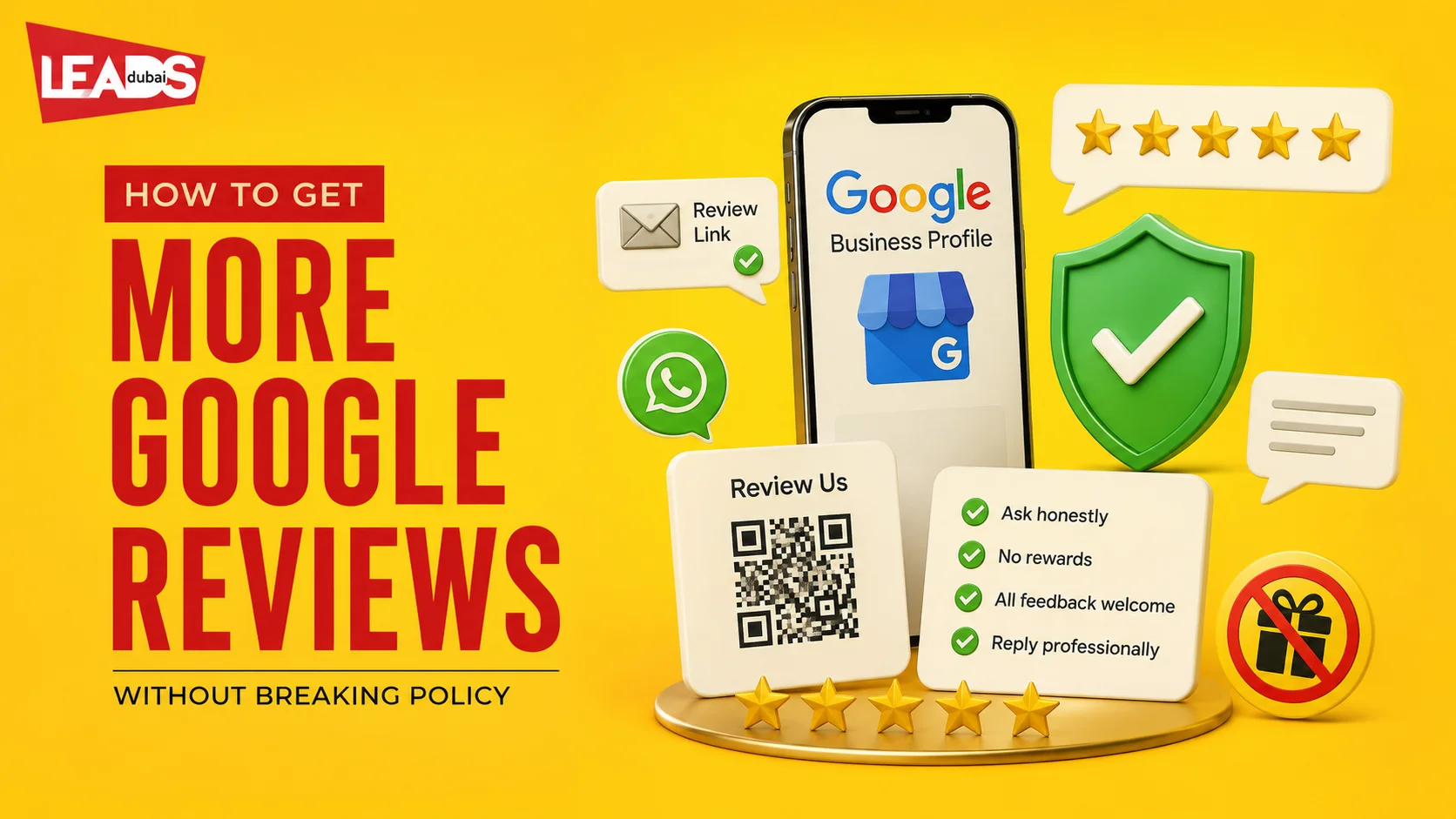
Google allows businesses to ask customers for reviews, but those reviews must describe a genuine experience. Do not offer discounts, gifts or payment in exchange for a review. Google also prohibits selectively asking only happy customers while discouraging negative feedback.
Use the review link or QR code available from your Business Profile and place it at natural customer touchpoints:
- Send the link by email or WhatsApp after the work has been completed.
- Add the review link to invoices, receipts or a post-service follow-up.
- Train customer-facing staff to ask consistently, without telling customers what rating to leave.
- Reply to positive and negative reviews in a short, specific and professional way.
- Flag a review only when it violates Google’s content policy, not simply because the business disagrees with it.
There is no fixed number of reviews that guarantees a map-pack position. Google says local results are mainly based on relevance, distance and prominence. Review count and positive ratings can contribute to prominence, while complete business information helps Google understand relevance.
The Google Business Profile website builder is gone
If you built a small site with the free website builder that came with Google My Business, it no longer exists. Google shut the service down in March 2024. Those addresses redirected to the associated Business Profile for a short grace period, and once that ended visitors reached an error page instead.
Anyone still relying on it needs a real website. The profile alone is not a substitute: it cannot rank for the service and product searches that sit outside the map pack, and it gives you no control over the pages a customer lands on. A basic hosted site, pointed at from your Business Profile, covers both.
Worth doing if this affects you: update the website field on your Business Profile to the new address, and check that your listing, invoices and social profiles all point at the same domain, since inconsistent details weaken local ranking.
What is new with Google Business Profile
- Manage it inside Search and Maps. The separate Google My Business app has been retired. You now edit your profile directly from Google Search or the Maps app when signed in.
- Chat is gone. The built-in messaging and call-history features have been discontinued, so route enquiries to a phone number or WhatsApp instead.
- Social links. You can now add your social media profiles directly to your Business Profile.
- Reviews, Posts, Photos and Q&A remain the core levers for visibility and trust.
Google Business Profile: common questions
Google My Business, now called Google Business Profile, is the free listing that shows your business on Google Search and Maps with your hours, location, phone, photos and reviews. It is the foundation of local SEO in Dubai.
Complete every field, pick the right primary category, keep your name, address and phone consistent everywhere, collect and reply to reviews, add photos and posts regularly, and build local citations. Proximity, relevance and prominence drive Maps ranking.
Yes, creating and managing your Google Business Profile is free. You can optionally run Google Ads or Local Services Ads on top, but the listing itself costs nothing.
Share your Google review link or QR code after a genuine customer interaction, using email, WhatsApp, receipts or follow-up messages. Ask consistently and reply to reviews. Do not offer discounts, gifts or payment for reviews, and do not discourage negative feedback.
Reviews can contribute to prominence, one of Google's three main local ranking factors alongside relevance and distance. Google says more reviews and positive ratings can help local ranking, but there is no guaranteed review count or substitute for accurate business information and a relevant location.