Advanced Google Ads strategies that lower cost per lead

Short answer: the strategies that move cost per lead are segmenting the account before you change anything, mining the search terms report for negatives, layering audience signals onto smart bidding, adjusting bids by device, hour and location, and reallocating budget to what already converts. Fix conversion tracking first, because every one of these depends on it.
Google Ads rewards accounts that are managed at a granular level. The basics get you serving; what follows is the work that separates a profitable account from a wasteful one, in the order a Dubai account manager would actually do it.
Segment before you optimise
Before changing anything, break the account apart and look at where results actually come from. Averages hide the problem. A campaign with an acceptable cost per lead is often one good segment carrying three bad ones.

Four ways to slice it:
- Technology. Device and network. Most accounts perform very differently on mobile versus desktop, and on Search versus Display. Check both before you touch a bid.
- Audience. Geography, demographics, and how often the same people are seeing you.
- Trend. Hour of day, day of week, month. Almost no account performs evenly across all 168 hours in a week, and ad scheduling is pointless until you know which ones are weak.
- Behaviour. The search terms report and, for display, the placement report. Both show what people actually did rather than what you targeted.
That last one cuts both ways: it surfaces the keywords and placements worth more budget, and the ones worth adding as negatives. Negatives matter as much as the terms you bid on.
Layer audiences onto search
Keywords tell Google what someone is looking for. Audiences tell it who is looking. Running both is where search has been heading for years, because the auction has become expensive enough that treating every searcher the same is what costs you money.
- Remarketing Lists for Search Ads (RLSA). Bid differently, or show different copy, when someone who already visited your site searches again. The pairing of past behaviour with present intent is the strongest signal available in search.
- In-market segments. People Google has identified as actively researching a purchase in your category.
- Custom segments. Built from the keywords people search and the sites they browse. Google folded the old custom intent and custom affinity audiences into these.
- Customer Match. Upload your own customer or CRM lists. This is the one signal a competitor cannot replicate, and most accounts never use it.
- Demographics and affinity. Useful for shaping who you exclude as much as who you chase.
Similar audiences were removed on 1 May 2023, so any strategy still built around them needs rebuilding on Customer Match and in-market segments.
Let smart bidding set the bids
Smart Bidding sets a bid for every individual auction using signals no manual system can see: device, location, time, browser, and the person’s own history. It beats manual bidding in most accounts, but only when it is fed properly. It needs accurate conversion tracking, enough conversion volume to learn from, and time to settle between changes. Given bad conversion data it will optimise confidently toward the wrong thing.
Use the ad formats that carry the work
- Responsive search ads. Supply multiple headlines and descriptions and Google assembles the combinations. Pin the claims that must always appear, and leave the rest free to be tested.
- Assets, previously called ad extensions. Sitelinks, callouts, call buttons, images and location. Google renamed extensions to assets in September 2022. They take up more of the results page and usually lift click-through rate for no extra cost per click.
- Dynamic search ads. Google generates the ad from your site’s own pages. Useful for large catalogues where writing a keyword list per product is not realistic, and worth keeping on a tight leash with negatives.
Check the landing page on a phone before any of this. Most UAE search traffic is mobile, and a slow or awkward mobile page wastes the click you just paid for.
Adjust bids by device, time and location
You rarely want the same bid everywhere. Bid higher for the devices, hours and areas that convert, and lower where they do not. A café can bid more for nearby mobile searches at breakfast and less for late-night desktop clicks. These bid adjustments apply across a campaign in a few entries and are one of the quickest ways to cut waste.
The arithmetic catches people out. An adjustment is a percentage of your maximum CPC, not a replacement for it. If your max CPC is AED 5 and you set +35% for your peak hours, the increase is AED 1.75 and the bid during those hours becomes AED 6.75.
Adjustments also multiply rather than add. A campaign set to -25% on Tuesdays, +50% for Dubai and +300% for mobile does not land anywhere near the sum of those numbers:
- 0.75 (Tuesday) x 1.5 (Dubai) x 4.0 (mobile) = 4.5 times your base bid
That is a Tuesday mobile search in Dubai costing four and a half times what you thought you were bidding. Stack three adjustments without checking and you can quietly burn a daily budget before lunch.
One important caveat, and it is the part most older guides get wrong: if you run Target CPA, Target ROAS or Maximise conversions, Google sets bids at auction time and these percentage adjustments no longer apply the way they did under manual bidding. The exception is a -100% device adjustment, which still excludes that device outright. Under smart bidding, exclusions still work; fine-tuning by percentage mostly does not.
Mine the search terms report

The keywords you bid on are not the terms people actually type. The search terms report shows the real queries that triggered your ads: add the good ones as keywords, add the rest as negatives. Left unchecked, broad and phrase match will spend on searches that never convert.
You will not see all of them. Google withholds queries that too few people searched, on privacy grounds, so a portion of your spend sits against terms the report never names. That has two consequences worth planning around. Negative keyword lists can never be complete, however diligent you are. And the tighter your match types, the less of your budget ends up in that blind spot in the first place.
Where UAE accounts leak money most often:
- Broad match with no negatives. The fastest way to pay for searches from people who were never going to buy.
- Bidding on the category instead of the intent. “Office furniture” attracts browsers and students; “office furniture supplier Dubai” attracts buyers.
- Ignoring geography. Campaigns set to the whole UAE, or worldwide by accident, when the business only delivers in two emirates.
- Sending every ad to the homepage. The click is paid for and then the visitor has to find the thing themselves.
Watch the competition (auction insights)
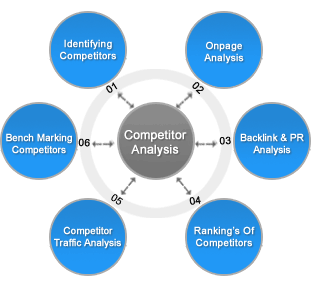
The Auction Insights report shows which advertisers you compete against, how often you overlap, and who outranks you. Use it to decide where to push bids, where to hold, and where a competitor is spending heavily so you can focus your budget on the searches you can win.
Pause and reallocate, do not just switch off
Pausing is a strategy, not a panic button. Pause low-performing keywords, ads and placements and move that budget to what converts, rather than turning whole campaigns off. Keep learnings and history intact so the account keeps improving instead of restarting from scratch.
Seven ways to lift your click-through rate
CTR is not a vanity number in Google Ads. It feeds expected click-through rate, which feeds Quality Score, which decides what you pay per click. Raising it lowers your costs at the same position.

- Target the right audience. A brilliant ad shown to the wrong people still gets ignored.
- Narrow the targeting. Push budget toward high-intent segments rather than spreading it thin.
- Use negative keywords. Irrelevant impressions drag CTR down even when nobody clicks them.
- Put the offer in the headline. The specific number or deal, in the line people actually read.
- Get the keyword into the display path. It reinforces relevance before the click.
- Use dynamic keyword insertion sparingly. It matches copy to the search, but overused it produces ads that read like machine output.
- Test more ads. Run variations continuously. This is the one that compounds.
The 8-step optimisation checklist
Optimisation is where the money is made. Google’s AI is powerful, but it needs the right data, guardrails and creative signals to spend well. Work through these in order.
- 1. Verify conversion tracking is flawless. Everything else rests on this. Duplicate or incorrect conversion events teach the AI the wrong behaviour and will wreck performance. Confirm each event fires only when the action genuinely happens, and disable the ones you do not act on. Bad data produces bad bidding.
- 2. Audit search terms and manage negatives. Add irrelevant queries as negative keywords and promote the ones that convert into exact match. This protects budget and gives Google clearer signals. Do it repeatedly, not once at setup.
- 3. Review assets and creative. Check headlines and descriptions in responsive search ads, and asset groups in Performance Max or Demand Gen. Pause weak performers and write replacements. Introduce new creative every two to four weeks, faster if you are burning through a small audience, slower if you are barely reaching your market.
- 4. Revisit bidding targets. Start on maximise conversions or conversion value. Once the data is stable, move to a target CPA or target ROAS. Beating your target consistently means you can tighten it; missing it means loosening it to give Google room. Change targets on evidence, not instinct.
- 5. Layer audience signals. Upload customer lists and CRM segments so Google can see what it otherwise cannot. Prioritise new customers or high-value customers where that distinction matters to you. Without it, the system may happily optimise toward cheap, low-value conversions.
- 6. Reallocate budget to what performs. Move money out of weak campaigns and ad groups into the ones returning better. Shifting budget is usually the fastest single lift available in an account.
- 7. Optimise by location and schedule. Cut spend in areas that underperform, raise it where results are stronger, and add an ad schedule once you can see which days and hours convert.
- 8. Watch frequency and creative fatigue. On YouTube, Display and Performance Max, high frequency kills performance quickly. When a drop in results lines up with rising frequency, rotate the creative rather than cutting the budget.
How often to run each check
- Weekly, light touch. Budget reallocation, new negative keywords, small creative swaps. These are the quick wins.
- Monthly, deeper. Bidding targets, audience and data refreshes, a full creative review, and any structural change.
- Not daily. Constant tinkering disrupts learning and stops smart bidding from ever settling. Leave gaps between meaningful changes.
By combining these advanced Google Ads strategies, you get more from every dirham of spend. The platform changes constantly, so review the account regularly, test new formats, and cut what does not work. See the latest Google Ads updates to stay current.
Leads Dubai is a Certified Google Partner. Talk to us about our advertising solutions which can help you drive better results!
Advanced Google Ads strategies FAQs
Weekly for the light work: reallocating budget, adding negative keywords from the search terms report, swapping weak creative. Monthly for the deeper work: bidding targets, audience refreshes, a full creative review and any structural change. Avoid daily tinkering, because constant edits disrupt learning and stop smart bidding from settling.
Because every automated decision in the account is built on it. Smart bidding optimises toward whatever you tell it counts as a conversion, so duplicate events, events that fire on page load, or conversions you do not actually care about will teach it the wrong behaviour and it will spend accordingly. Confirm each event fires only when the action genuinely happens, and disable the ones you never act on.
Segment it. Averages hide the problem, and an acceptable overall cost per lead is often one good segment carrying three bad ones. Break results down by device and network, by location and demographics, by hour and day of week, and by actual search terms and placements. The weak segment usually shows up immediately once you stop looking at the total.
The highest-impact levers are smart bidding (Target CPA and Target ROAS), audience layering with in-market and remarketing lists, bid adjustments by device, time and location, a disciplined negative keyword list built from the search terms report, and responsive search ads tested continuously. Used together, they lower cost per lead and raise conversion volume.
Check the search terms report often and add irrelevant queries as negative keywords. Tighten match types on your best terms, adjust bids down for low-converting devices, times and locations, and pause keywords and placements that do not convert while moving the budget to what does.
Remarketing Lists for Search Ads (RLSA) let you tailor your search bids and ads to people who have already visited your site. Because these users know your brand, they usually convert at a higher rate, so RLSA is an efficient way to raise return without expanding to cold audiences.
Auction Insights shows which advertisers you compete against, how often your ads overlap, and who outranks you. It helps you decide where to raise bids to win high-value searches, where to hold, and where a competitor is dominating so you can redirect budget to searches you can realistically win.