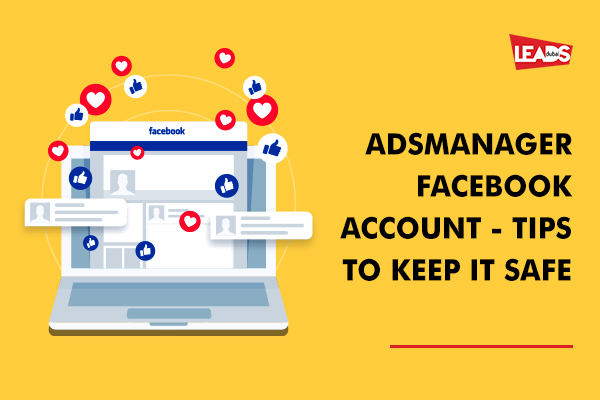
Managing your Ads Manager Facebook account to reach your desired audience. However, it’s equally important to prioritize the security of your account to protect your valuable data and maintain the integrity of your advertising campaigns. This blog post will offer essential tips to help you keep your Ads Manager Facebook account safe and secure.
Protect your Facebook ads account with these steps
Strong password and two-factor authentication
Create a strong, unique password for your Ads Manager account, combining upper and lower-case letters, numbers, and special characters. Enable two-factor authentication (2FA) to provide an extra layer of security. This adds a verification step, such as a code sent to your phone, when logging in.
Regularly monitor account activity
Keep a close eye on your Ads Manager account activity by reviewing the login history regularly. Facebook provides an activity log where you can check for any suspicious activities, like unrecognized login locations or unauthorized access attempts.
Limit access and permissions
Grant access to your Ads Manager accounts only to trusted individuals who genuinely need it. Facebook provides various roles and permissions that you can assign to users, ensuring they have appropriate access levels based on their responsibilities.
Be wary of phishing attempts
Beware of phishing scams that attempt to trick you into revealing your account credentials. Avoid clicking on suspicious links or providing sensitive information to unknown sources. Facebook will never ask for your password via email or direct message.
Keep software and devices updated
Regularly update your computer’s operating system, web browser, and security software to safeguard against potential vulnerabilities. Also, ensure that your mobile devices have the latest security patches installed.
Educate yourself and your team
It’s important to stay updated on the latest security practices and potential threats. By educating yourself and your team members about online security, you can empower everyone to avoid downloading files from untrusted sources and use secure networks when accessing Ads Manager. This will help ensure the safety of your account and protect against potential risks.
Set up Business Manager
Consider using Facebook Business Manager, which provides added security features and allows you to manage multiple Pages, ad accounts, and people within your organization. Business Manager helps keep your personal Facebook profile separate from your business assets.
Regularly review and update permissions
Periodically review and update the permissions granted to different users within your Ads Manager account. Remove any unnecessary access or permissions for individuals who no longer require them. Bonus: Check out Facebook login permission guides
Protecting your Ads Manager Facebook account is crucial for maintaining the security and effectiveness of your advertising campaigns. By subscribing to these tips, including setting strong passwords, enabling two-factor authentication, monitoring account activity, and remaining vigilant against phishing attempts, you can guarantee the security of your valuable data and retain control over your advertising endeavors. Implement these practices to safeguard your Ads Manager account and enjoy a worry-free advertising experience on Facebook.
Contact us if you have specific Facebook ads manager problems.
FAQs
Common signs that your Facebook Ads Manager account has been compromised include unfamiliar ads running in your account that you did not create, unrecognized charges on your linked payment method, login alerts from unknown locations or devices, changes to your account settings or permissions that you did not make, and new users added to your Business Manager without your knowledge. If you notice any of these, immediately change your password, enable two-factor authentication, and review your active sessions under Settings & Privacy > Security and Login to log out of all unrecognized devices.
First, deactivate any unauthorized ads to stop further charges to your payment method. Then, go to your Business Manager settings, click "People," and remove access for any unrecognized accounts. Change your password right away and enable two-factor authentication. Check the Activity Log in Ads Manager to see who made recent changes and when. File a report through Facebook's Ads Payment Section for unauthorized charges, and contact your credit card provider or PayPal to dispute fraudulent transactions. You can also visit facebook.com/hacked to use Facebook's guided account recovery tool.
Two-factor authentication (2FA) adds an extra verification step when you log in to your account. After entering your password, you must also enter a code sent to your phone or generated by an authentication app. Meta now requires 2FA for all users accessing Business Manager and Ads Manager tools. If you do not enable it, Facebook may restrict your access to Meta Business Suite. Even if a hacker obtains your password, they cannot access your account without the second verification code, making 2FA one of the most effective protections against unauthorized access.
In Facebook Business Manager, go to Business Settings > People to manage who has access to your ad accounts and Pages. Assign the minimum permission level each person needs: for example, give an analyst "View performance" access rather than full admin rights. Review permissions regularly (at least quarterly) and remove access for former employees, past agencies, or contractors who no longer work with you. Require all team members to enable two-factor authentication. Using Business Manager instead of granting direct access through personal profiles keeps your business assets separated and easier to control.
To avoid ad account restrictions, follow Meta's Advertising Standards closely, which apply across Facebook, Instagram, Messenger, and Audience Network. Avoid prohibited content categories, ensure your landing pages match your ad claims, and do not make sudden large changes to your daily spend: scale your budget gradually. Enable two-factor authentication for all users on the account, keep your payment methods up to date, and verify your business through Meta's Business Verification process. If your account does get restricted in error, you can request a manual review through Ads Manager under Account Quality.