 Training guide
WhatsApp Marketing for Small Business
How to use WhatsApp Business for marketing in the UAE: setting up the profile and catalogue, broadcast versus groups, and turning chats into repeat customers.
Use WhatsApp for service first, promotion second
In short: WhatsApp Business gives a small UAE business a free profile, catalogue, quick replies and away messages. Use the Business Platform when you need CRM integration, automation or larger messaging volumes. Get permission first, answer the customer’s question and keep promotional messages relevant.
WhatsApp works well when a customer wants a quick answer, quote, appointment or order update. Treat it as a permission-based conversation rather than a purchased contact list. Tell people what they are opting into, keep proof of consent and provide a simple way to stop promotional messages.
Start with the WhatsApp Business app
- Business profile: keep the name, description, hours, address, email and website accurate.
- Catalogue: add current products or services with useful descriptions, prices or links where appropriate. WhatsApp reviews catalogue images against its messaging policy.
- Quick replies: save accurate answers for common questions without making every conversation sound automated.
- Labels and lists: organise contacts by a real service need or stage rather than sending every message to everyone.
- Greeting and away messages: set expectations about when a person will reply.
WhatsApp’s official catalogue guide explains the current product fields and review process. Features can vary by device and rollout, so check the account before promising a function to customers.
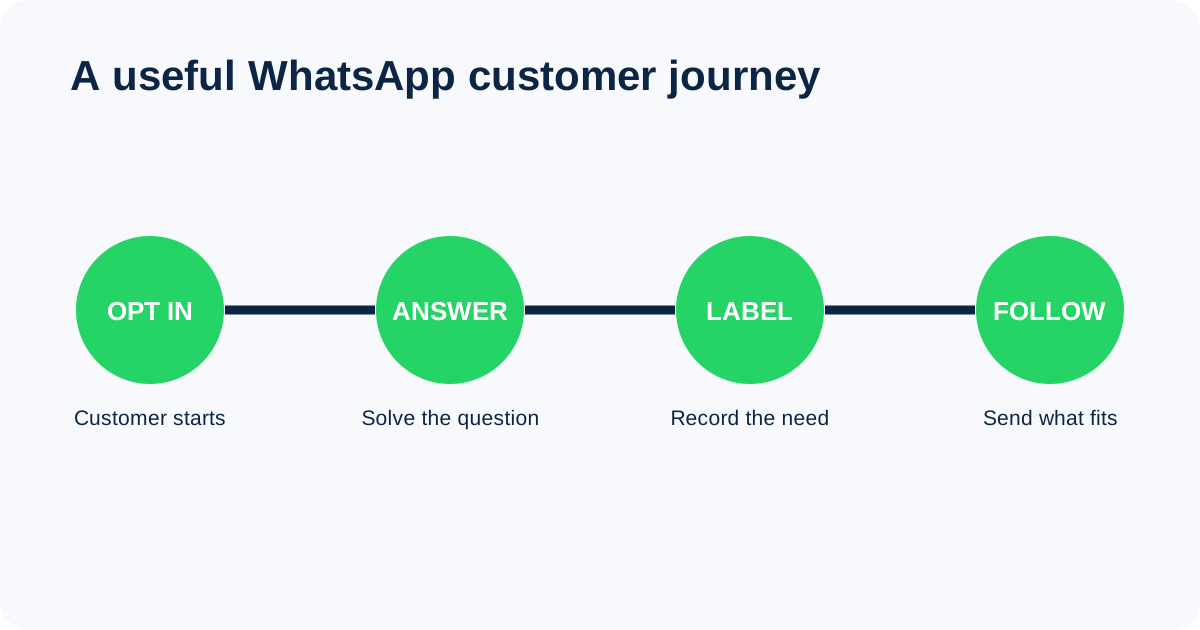
Design the path from first message to resolution
- State what the customer can ask for and when replies are handled.
- Use two or three qualifying questions relevant to the enquiry.
- Assign an owner and an escalation route for complaints or sensitive issues.
- Record the lead source and useful outcome in the CRM.
- Ask permission separately before adding the person to promotions.
Broadcast lists, groups and channels are different
A broadcast sends separately to saved contacts, subject to WhatsApp’s current delivery rules. A group exposes a shared conversation and participant information, so it is not a substitute for a private customer list. A channel is a one-way update feed that followers choose to follow. Pick the format from the communication job and privacy expectation.
Know when the Business Platform is needed
The app suits a small team handling conversations manually. The WhatsApp Business Platform is designed for integrations, larger workflows and structured automation. It requires technical setup, approved messaging practices and careful handoff to people. Automation should identify itself, answer only within its scope and make a human route easy to find.
Measure conversations that became useful outcomes
Track response time, qualified conversations, appointments, quotes, sales and opt-outs. A high message count can mean strong demand or repeated confusion. Review chat reasons and outcomes rather than treating every opened conversation as a lead.
A safe weekly marketing rhythm
- Answer service enquiries and update catalogue information first.
- Send promotions only to people who agreed to receive them.
- Segment by genuine interest and keep the message relevant.
- Check links, stock, prices, dates and the person responsible for replies.
- Review blocks, opt-outs and qualified outcomes before sending again.
WhatsApp workflows are covered within our social media marketing training. The paid course runs within one week, includes 10 taught hours and is available in Dubai or live online. Fees start from AED 3,000 per person.
FAQs
Is WhatsApp marketing free for a small business?
The WhatsApp Business app can be used without a course or agency fee, but staff time, advertising, integrations and Business Platform messaging can create costs. Check current platform pricing before planning a larger workflow.
Can a business send promotions to any phone number?
No. Use a permission-based list and follow applicable privacy, marketing and WhatsApp rules. Buying or scraping numbers creates consent, quality and account-risk problems.
When should a small business use WhatsApp automation?
Use it for predictable steps such as greetings, routing and status updates. Keep a clear human handoff for unusual questions, complaints, payments and anything sensitive.